Smart Bulbs That Dim Warm at Bedtime
A smart bulb can shift to warm, dim light at night on a schedule. Four sleep-friendly bulbs, including no-hub options, and which specs matter.
We earn a commission if you buy through links on this page, at no extra cost to you. Picks are based on buyer reviews and specs; we don't test products ourselves. How we work
Jump to the picks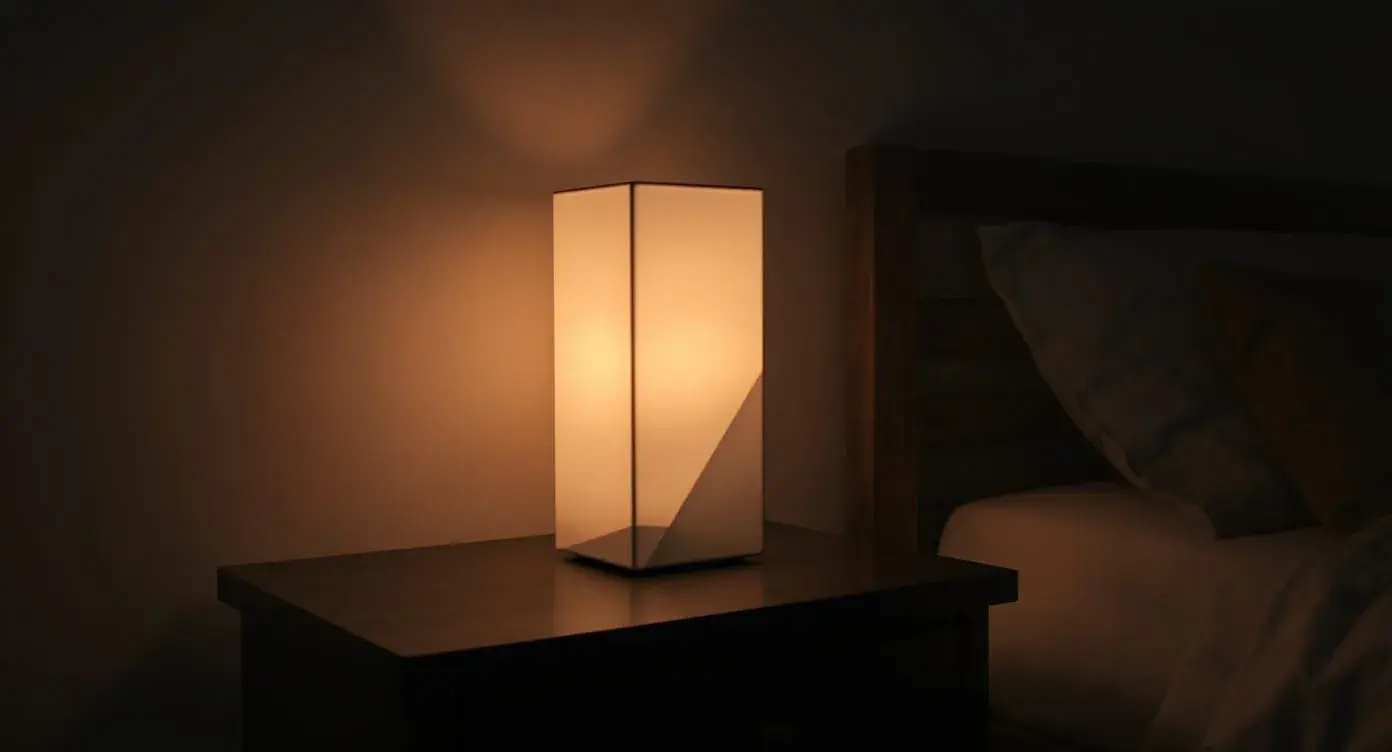
Bright, cool light in the morning signals wakefulness, and warm, dim light at night is easier on your wind-down. A regular bulb stays the same all day, but a good smart bulb can shift automatically on your schedule. This guide covers four bulbs for that job. Our overall pick, the Philips Hue, and the Nanoleaf are currently unavailable on Amazon, so the quick picks below cover what's available.
Quick picks
- No hub, warmest evening light: LIFX Color A19
- Tight budget, no hub: Kasa KL125
What to look for in a sleep-oriented smart bulb
1. Color temperature range. For circadian sleep use, you want a bulb that can go from roughly 2000–2200K (warm amber/candlelight) up to 6500K (cool daylight). Bulbs that only shift within a narrow range (say 2700K–4000K) can't deliver the full evening wind-down signal.
2. Dimming range. A bulb that only dims to 20% is too bright in bed. Look for bulbs that go below 5% brightness — which is what you want for late-evening and middle-of-the-night use.
3. Scheduling. The whole point is automation. Good bulbs support schedules via an app or via integration with Alexa, Google Home, or Apple HomeKit. Manual-only bulbs defeat the purpose.
4. Hub vs. no-hub. Some smart bulbs require a separate hub (like Philips Hue Bridge). Others connect directly to Wi-Fi. Hub-based systems are more reliable but cost more upfront.
5. Real-world reliability. Owner reviews reveal which brands actually stay connected vs. the ones that require constant reconnection. Dropped connections are a frequent source of smart bulb complaints.
1. Philips Hue White Ambiance Bulb — Best Overall

Philips
Philips Hue White Ambiance Bulb (A19)
Currently unavailable on Amazon (checked 2026-11-01)
Pros
- Adjustable warm-to-cool color temperature for circadian-friendly evenings
- Schedules and routines via app for automatic dimming
- Long lifespan and low energy use
Cons
- Requires Hue Bridge for full functionality
- More expensive per bulb than basic smart bulbs
Philips Hue is one of the most mature smart bulb ecosystems and is well regarded for reliability. The White Ambiance model (vs. the cheaper White, which only dims, or the more expensive Color model, which is overkill for sleep use) is the sweet spot for circadian lighting: 2200K–6500K color temperature range, deep dimming, and full integration with every major smart home platform.
Why Hue works for sleep lighting
- Reliability. The main advantage over cheaper Wi-Fi bulbs. The Hue system uses Zigbee (through the Hue Bridge) instead of Wi-Fi, which means bulbs stay connected without the random dropouts that plague Wi-Fi-only smart bulbs.
- Full circadian temperature range. Goes from 2200K (very warm, close to candlelight) to 6500K (cool daylight). This is the range you need for morning-cool, evening-warm scheduling.
- Deep dimming. Dims lower than most competitors — useful for reading in bed without blasting your eyes.
- Mature scheduling features. The Hue app supports sunrise/sunset routines, fade-in wake-up, and automated wind-down. These are the features that actually protect sleep — and they work without third-party scripts.
- Works with everything. Alexa, Google Home, Apple HomeKit, SmartThings, IFTTT, plus an open API for tinkerers.
- Long lifespan. Hue bulbs are rated for 25,000 hours, and long-term owners often report years of use.
Where Hue falls short
- Requires the Hue Bridge for full functionality. If you don't already own one, the Bridge adds to your starting cost. You can use Bluetooth mode without the bridge, but you lose remote access and some of the automation features — which are exactly the features sleep users need.
- Price per bulb. Several times the cost of generic Wi-Fi smart bulbs.
- White Ambiance vs. White. If you already own Hue but bought the "White" model (not White Ambiance), it can only dim — not change color temperature. Make sure you're buying the right SKU for circadian use.
2. LIFX Color A19 — Best Without a Hub

LIFX
LIFX Color A19 Smart Bulb, 800 Lumens (2-Pack)
Pros
- Very wide white range, down to 1500K for wind-down
- Wi-Fi and Matter, no hub required
- Dims from 1% to 100% with scheduled routines
Cons
- Wi-Fi bulbs can drop connection
- Pays for full color you don't need for sleep
LIFX is the strongest alternative if you don't want to buy a Hue Bridge. These bulbs connect directly over Wi-Fi and support Matter, with no hub required, and they pair with Apple Home, Alexa and Google Home. For sleep use, the standout spec is the white range: LIFX lists warm light down to 1500K for wind-down, which is warmer than Hue's 2200K floor, across a spectrum up to 9000K, with dimming from 1% to 100%. Routines in the LIFX app can shift color temperature and brightness by room on a schedule.
It's best for renters, people with one or two bedroom lamps, and anyone who wants the warmest possible evening light. The bulbs are also full-color, which you don't need for sleep but don't have to use.
The trade-off is the Wi-Fi reliability issue covered above. Owners often praise the brightness and the range of white shades, but connectivity and setup reports are mixed, and some owners say individual bulbs never worked properly. Buy from a seller with easy returns and test each bulb early.
3. Kasa Smart Bulb KL125 — Best Budget

Kasa
Kasa Smart Bulb KL125 (Multicolor, A19)
Pros
- Lowest price per bulb of our picks
- Auto White mode shifts 2500K-6500K with natural light
- Schedules with sunrise offset; no hub required; 2-year warranty
Cons
- Warmest setting is 2500K, not candlelight-level
- Owners report disconnections and some early failures
The Kasa KL125 is the low-cost way to try circadian lighting. It's a Wi-Fi bulb with no hub required, and its white range runs from 2500K to 6500K. The feature that matters most for sleep is Auto White, which Kasa says automatically adjusts the bulb's color temperature to match natural light patterns from dawn to dusk, so you get a basic circadian schedule without building one yourself. You can also set schedules with a sunrise offset, for example to wake up to a soft glow. It works with Alexa and Google Assistant and carries a 2-year warranty.
It's a good fit for a guest room or for testing whether automated lighting actually changes your evenings before investing in Hue. Owners often say it's very easy to set up and that the app is simple.
The limits are worth knowing. At 2500K, its warmest setting is noticeably cooler than Hue's 2200K or LIFX's 1500K, which matters for the final hour before bed. Owners also report frequent disconnections and some bulbs failing within months, which is the typical Wi-Fi bulb trade-off.
4. Nanoleaf Essentials Matter A19 — Best for Apple Home and Matter Setups

Nanoleaf
Nanoleaf Essentials Matter A19 Smart Bulb (2-Pack)
Currently unavailable on Amazon (checked 2026-11-01)
Pros
- Built-in Circadian Lighting mode follows your time zone
- Matter support works with Apple Home, Google Home and Alexa
- 1000 lumens with CRI 90+
Cons
- Smart home integration needs a Matter controller
- Mixed reports on responsiveness and lifespan
Nanoleaf Essentials bulbs are a good fit if your home already runs on Apple Home, Google Home or another Matter-compatible platform. The bulb's sleep-relevant feature is Circadian Lighting, which sets the bulb to adjust automatically to your time zone, removing blue light as day turns into night. It puts out 1000 lumens with a CRI of 90 or higher, and you can set schedules through the Apple Home app, Google Home app or any Matter-compatible app.
You can control the bulbs directly in the Nanoleaf app without a hub, but connecting them to a smart home ecosystem requires a Matter-compatible controller. The bulbs only work on 2.4 GHz Wi-Fi.
Owners often say they're easy to set up and connect well to Apple HomeKit. Brightness reports are mixed, with some finding it dim at the top setting, and responsiveness and lifespan get mixed reviews too, including some units failing after about six months. Nanoleaf doesn't list a color-temperature range on this listing, so check it against the 2200K target above if very warm evening light matters to you.
How they compare
| Bulb | Hub needed | Warmest white | Sleep-relevant feature |
|---|---|---|---|
| Philips Hue White Ambiance | Hue Bridge for full features | 2200K | Mature scheduling, Zigbee reliability |
| LIFX Color A19 | No | 1500K | Widest warm range, scheduled routines |
| Kasa KL125 | No | 2500K | Auto White follows daylight |
| Nanoleaf Essentials | Matter controller for ecosystem use | See listing | Circadian Lighting mode |
How to use a smart bulb for better sleep
A schedule that follows the natural light curve:
Morning (6:00 AM – 9:00 AM): Bulb gradually brightens from off to full, starting 15–30 minutes before wake time, at 6500K (cool daylight). This mimics natural sunrise and helps shut down overnight melatonin.
Midday (9:00 AM – 6:00 PM): Full brightness at 4000K–5000K (neutral daylight). Matches indoor office lighting.
Evening wind-down (6:00 PM – 9:00 PM): Gradually shift from 4000K to 2500K, dim from 100% to 40%. Reduces melatonin-suppressing blue light during the last few hours before bed.
Pre-sleep (9:00 PM – bedtime): 2200K at 10–20% brightness. Very warm, very dim. Reading-friendly but not alerting.
Sleep hours: Off.
This entire sequence can be programmed once in the Hue app and will run automatically every day, which is the whole point: the sleep benefit comes from consistency you don't have to think about.
A note on cheaper alternatives
Wi-Fi-only smart bulbs (like generic brands from Amazon) are significantly cheaper than Hue — but owner reviews frequently mention connection issues, slow response times, and random disconnects that defeat the purpose of automation. If your goal is to actually follow a circadian schedule, the reliability of the Hue system is usually worth the price difference. If you're just experimenting to see if smart lighting helps your sleep, a cheap Wi-Fi bulb is a valid starting point — just know the experience may be frustrating.
Frequently asked
Do smart bulbs actually help with sleep?+
What's the difference between Hue White, White Ambiance, and Color?+
Can I use smart bulbs without a hub?+
How warm does the bulb need to go for evening use?+
Should I still use blue-light-blocking glasses if I have smart bulbs?+
Where to go next
Related articles.
Buyer ReportPhilips Hue White Ambiance Bulb Owner Reviews: The Circadian Lighting Staple
Philips Hue White Ambiance tunes from 2200K to 6500K. Which range to use morning and night, what works without a Bridge, and who should skip it.
 Edge Pick
Sunrise Alarm Clocks for Gentler Wake-Ups
Prefer to wake to light instead of a buzzer? Four sunrise alarms and lamps, from an all-in-one to a budget clock for dark winter mornings.
 Buyer Report
Swanwick Swannies Owner Reviews: Do Blue-Blocking Glasses Help You Sleep?
Swanwick blue light glasses review: when Swannies are worth paying for, when the far cheaper Uvex Skyper is enough, and the trade-off with each pair.